
Exploring AI Data Security · Part 3 — The answer needs its own protection
An AI-generated summary is a new document with a new destination. Part 3 shows how labels, usage rights and DLP must follow the information beyond the source file.
Reviewed
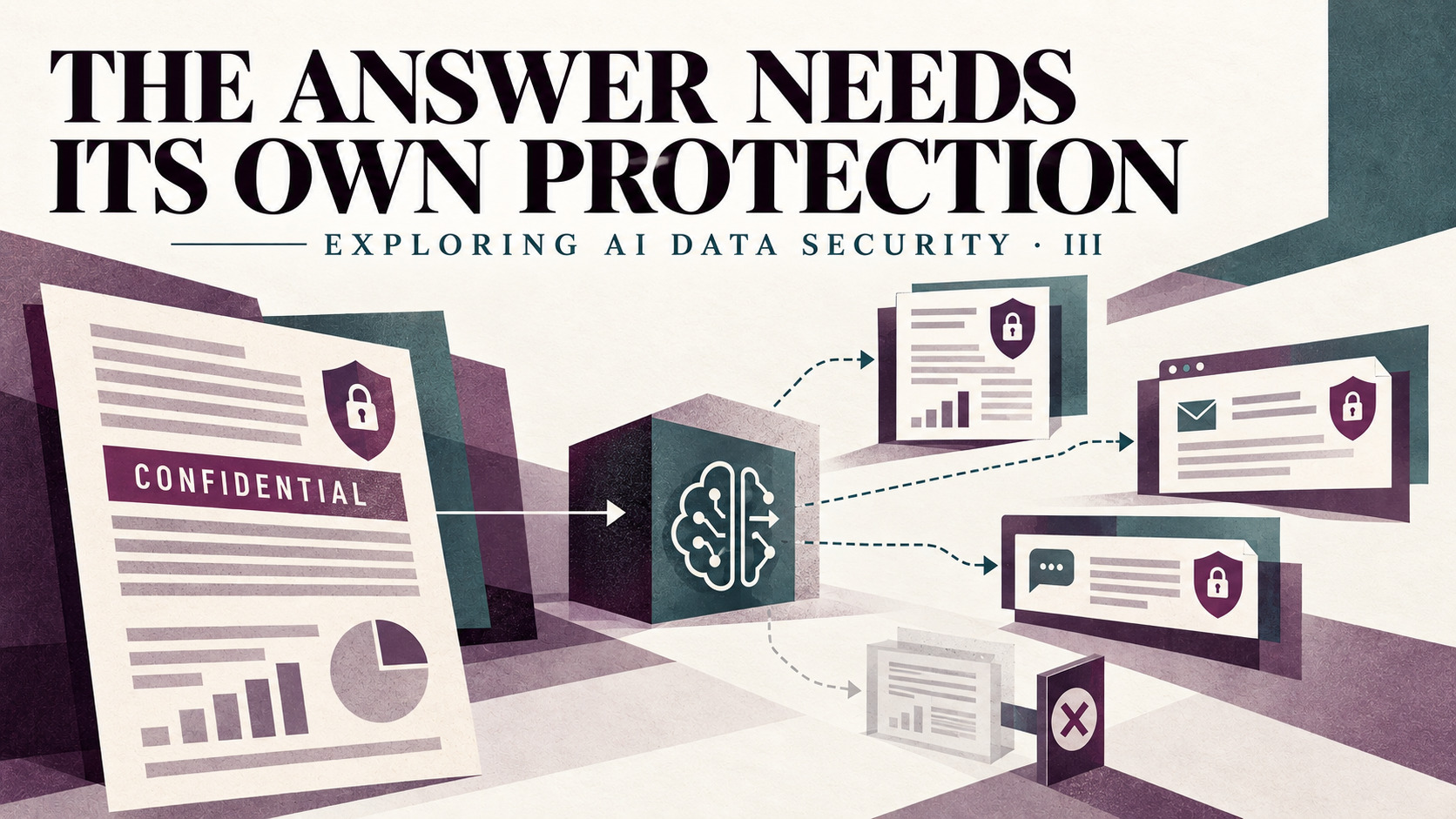
I A protected file can produce a new exposed copy
Part 2 of Exploring AI Data Security stopped hostile document instructions before they reached a tool. The next boundary appears after a legitimate request succeeds: the answer becomes a new copy of the information.
Imagine a fictional board pack labelled Confidential. An authorised employee asks an AI assistant to extract the revenue forecast and supplier risks. The source file can keep its label, encryption and access list while the same facts appear in a chat response, an email draft or a new presentation. Each derivative has its own destination, readers and retention path.
Microsoft documents this distinction in its current Copilot controls. The service checks access and, for encrypted content, the VIEW and EXTRACT usage rights before returning data. Supported Office creation flows can then inherit a source file's sensitivity label and protection settings into the new item.[1] The source permission and the output protection are two separate decisions.
Label and usage rightsAI transformation
Summary or extractionNew derivative
Own label and readersDestination gate
Allow, warn or block
II Apply policy to the derivative
Carry the source classification into the decision that creates the output. Where the platform supports label inheritance, Microsoft 365 Copilot uses the highest-priority label among multiple source files for new content in supported Word, PowerPoint and Outlook flows.[1] That is a documented product behaviour, not a universal rule for every assistant or destination.
An application-level contract can make the same boundary explicit. Record the source identifiers and their classifications, calculate the output classification under an approved policy, then create the artifact with that label or reject the operation. Keep the actual enforcement with the new object: usage rights, sharing scope, retention and destination checks should attach to the derivative rather than remain only in an agent trace.
Automatic inheritance also needs a downgrade rule. Microsoft notes that users can replace or remove an inherited label unless mandatory labelling or another policy prevents it.[1] A high-sensitivity workflow should require a justified, logged policy decision before protection can become weaker.
Technical note · preserve lineage without exposing content
A practical decision record can hold source IDs, source label IDs, the selected output label, policy version, destination and result. It does not need to duplicate the sensitive text. Bind the record to the generated artifact's content hash or immutable version so a later edit cannot reuse an earlier approval silently.
III Map the gaps between surfaces
Inheritance is surface-specific. Microsoft's current considerations list several boundaries: labels from another organisation are not recognised in the same way; container labels on groups and sites are not inherited by the individual items; some meeting and chat protection is not recognised; and encryption applied without a sensitivity label provides no automatic label inheritance for new content.[2]
These are useful examples of a broader engineering rule: test every source type and destination pair. A chat response, copied clipboard text, generated file and outbound email can travel through different policy engines. A label displayed beside a response can educate the user while still differing from protection applied to a stored artifact.
| Boundary | Question | Fail-closed result |
|---|---|---|
| Source to model | May this identity extract the content? | Exclude the source or refuse the task. |
| Model to artifact | Can the required label and usage rights be applied? | Do not create the weaker artifact. |
| Artifact to destination | May these fields reach this recipient and channel? | Block, warn or require a governed override. |
Microsoft's documented behaviour follows this principle when an inherited label cannot be applied in supported Copilot creation flows: the text is not added to the destination item.[2]
IV Test the answer at the exit
Classification metadata alone cannot detect every sensitive fragment. Add a destination-aware content check where the output leaves the trusted workflow. Microsoft Purview DLP can exclude labelled files from Copilot processing and can restrict prompts containing configured sensitive information types; the precise action depends on the policy location and mode.[3] Endpoint DLP can audit, block with override or block supported browser paste and upload actions under configured conditions.[4]
For a custom application, content inspection can provide a similar final check. Google Cloud Sensitive Data Protection documents APIs that identify configured sensitive information types in text and a separate de-identification operation that transforms detected values.[5][6] Detector choice, false positives, limits and latency are part of the acceptance criteria; a scanner is not evidence that every confidential business fact is covered.
Run a synthetic board pack through four paths: chat response, generated document, email draft and paste to an external web form. For each path, verify the selected label, enforced usage rights, destination decision and audit event. Repeat with an unsupported source label, a destination that cannot apply protection and a user attempting to downgrade the result. The evidence should identify the exact application, policy and client versions tested.
Sources
- Microsoft Purview · Data security and compliance for Microsoft 365 Copilot
- Microsoft Purview · Information-protection considerations for Copilot and agents
- Microsoft Purview · DLP for Microsoft 365 Copilot and Cowork
- Microsoft Purview · Configure endpoint DLP settings
- Google Cloud · Inspecting text for sensitive data
- Google Cloud · De-identifying sensitive data
Sources checked 2026-10-19.